IntentClipboard
Spots a ClickFix-style command copied from a browser. Copied content never enters the log.
Working
 Vigyl
VigylVigyl watches what enters your Mac, what starts on its own, what talks to the internet and what is copied to the clipboard. It flags what looks abnormal, keeps a log where every line is chained to the previous one, and only blocks what you decide to block.
Spots a ClickFix-style command copied from a browser. Copied content never enters the log.
Files that run something when a folder opens or a package installs: mcp.json, npm scripts, hooks, .git/config.
SIP, FileVault, Gatekeeper, XProtect, firewall, SSH, admin account, Lockdown Mode, updates.
Agents, daemons, login items, cron, shell profiles, extensions. Disable and restore, reversibly.
Every outgoing flow, by app and by destination. Alert when an app talks for the first time.
Which app downloaded what, the file type and its signature.
Apple’s XProtect rules, applied by a built-in engine to whatever can run.
Identifiers shared by several apps.
Open and remote sessions, remote access ports, accounts, administrators.
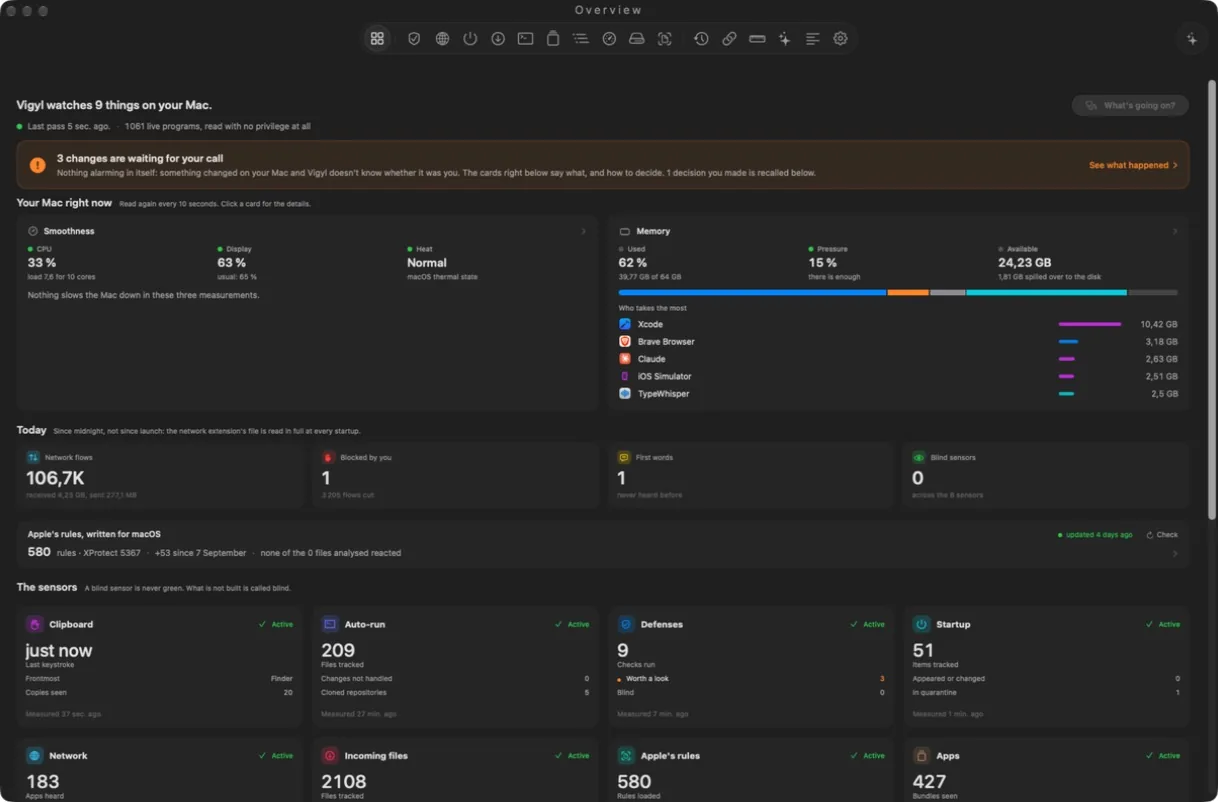
The overview opens on one sentence: how many things Vigyl watches, when it last looked, how many programs are running. The banner has three tones: red when Vigyl saw something abnormal, orange when a change waits for your decision, neutral when nothing abnormal was seen. Never green and never “protected”: Vigyl says what it saw, nothing more.
Below, a To handle list: one line per item, with “It was me” or “Seen”, and macOS settings to review that you can keep as they are. A strip sums up the day: network flows, connections you blocked, apps heard for the first time, Apple rules, blind sensors. Then the state of each sensor, and the five programs using the processor, refreshed every 10 seconds.
Every new program or archive arriving from the network gets a fingerprint (SHA-256), which Vigyl looks up on VirusTotal and MalwareBazaar with your keys. Only the fingerprint leaves the Mac, never the file. The same fingerprint is not asked again for 24 hours, and lookups pause when a quota is reached. Drop any file on the window, or choose one, to check it.
A history keeps the last 500 files checked, with the result of each service and each engine, a link to the VirusTotal page and an Explain button. The first real detection: a renamed disk image flagged by 2 of 60 engines, checked in 8.4 seconds.
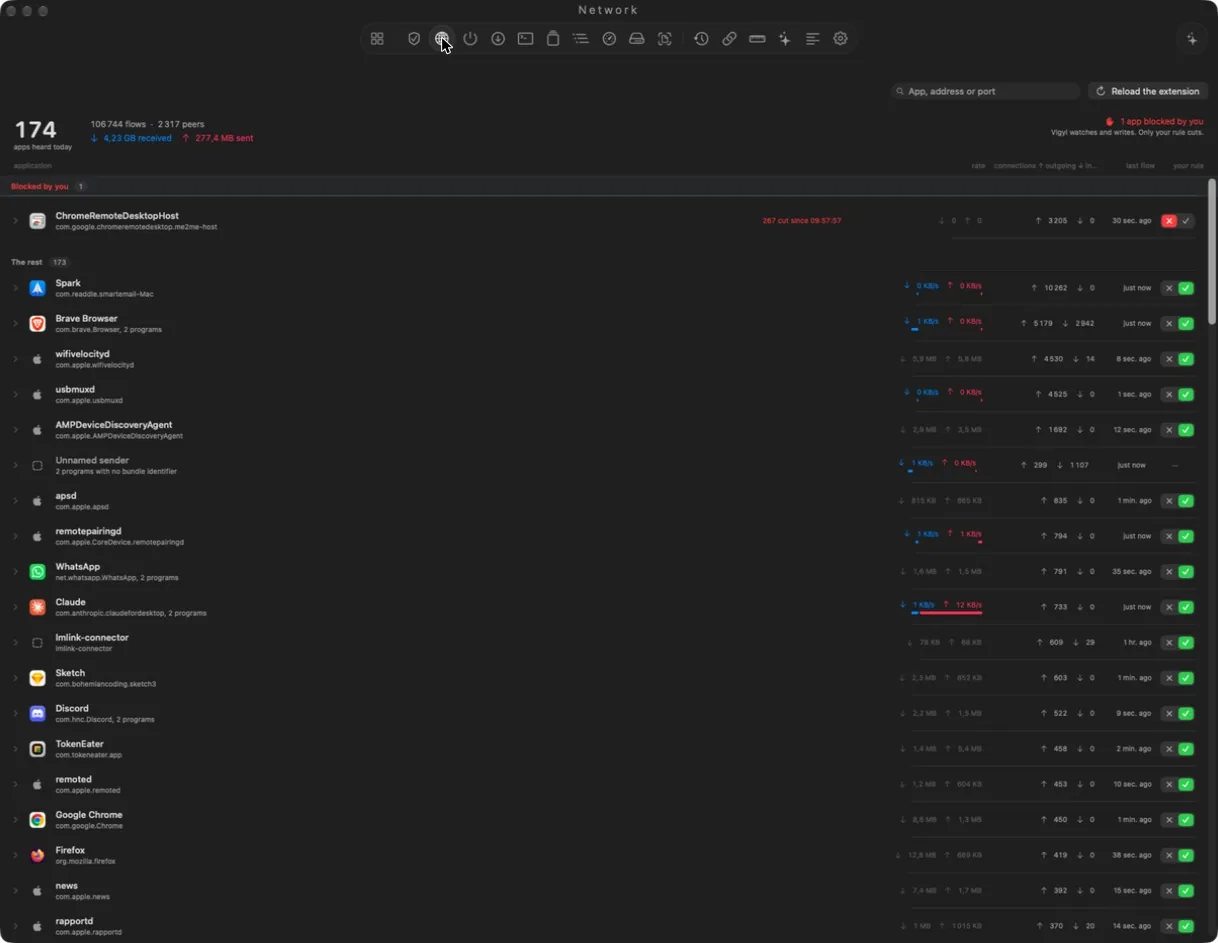
A system network extension sees every outgoing connection. The Network view lists every app heard today with its throughput, its number of connections, the time of its last flow and a switch to cut it off. Apps you blocked are listed on top with the number of connections refused.
Search by app, address or port. Expand a line to see the destinations.
Agents, daemons, login items, cron, shell profiles, system extensions: Vigyl keeps a baseline and notes what appears, changes or disappears. Disable moves the item to a reversible quarantine; Restore puts it back. The same goes for files that run something when you open a project: mcp.json, npm scripts, git hooks.
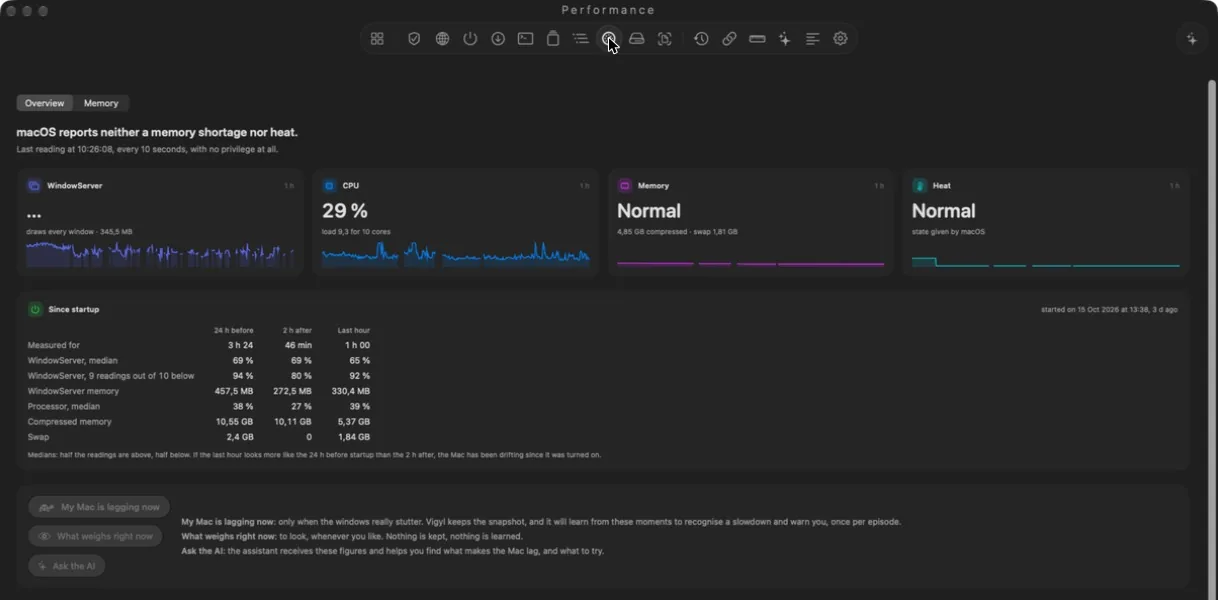
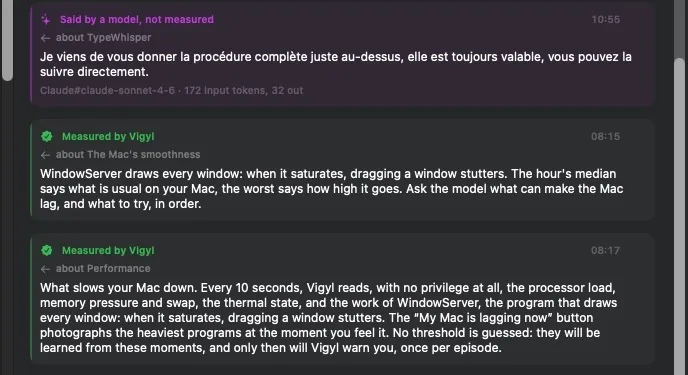
Every 10 seconds, without any privilege, Vigyl reads processor load, memory pressure and swap, thermal state, and the work of WindowServer, the program that draws every window. A table compares the 24 hours before startup, the 2 hours after and the last hour.
When the Mac stutters, press “My Mac is lagging now”: Vigyl keeps a snapshot of the heaviest programs at that moment. No threshold is guessed in advance; it learns from these moments to warn you, once per episode.
The Logbook shows the last 30 days, one timeline per day, in red, orange and gray, filtered to what is worth keeping or everything. Each line opens what it means, what was happening at that moment, what to do, and the raw trace.
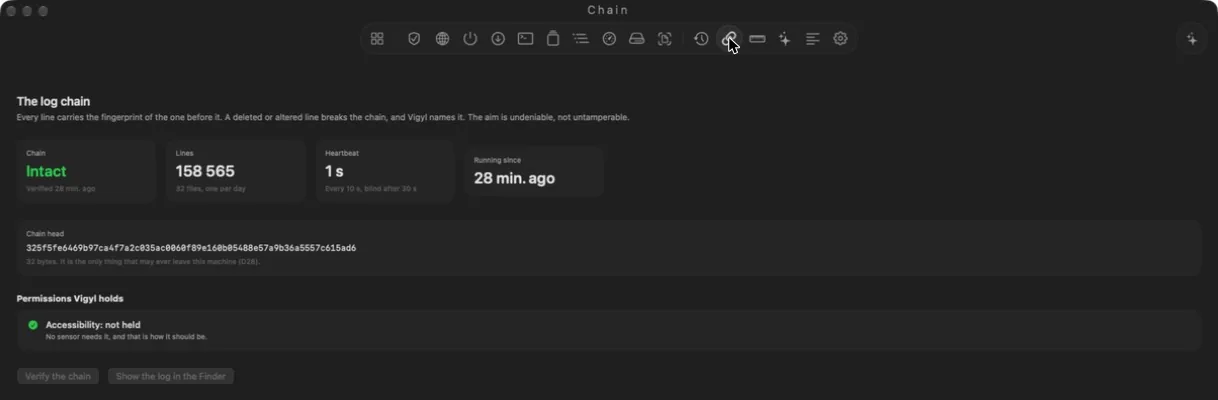
Under it, every line carries the fingerprint of the line before it (SHA-256), one file per day. A deleted or altered line breaks the chain, and Vigyl names it. The Chain view shows the state of the chain, the number of lines, the heartbeat and the head of the chain. The goal is undeniable, not untamperable.
Ask a question, or right click a line and choose Explain. Every answer is labeled: “Measured by Vigyl” when it comes from a sensor, “Said by a model, not measured” when it comes from the AI. The assistant uses the provider you set up, or a local model through Ollama or LM Studio.
An injection detector refuses the model call when it sees an attempt, and the model can never trigger a write on its own.
Log, settings and quarantine stay on the Mac. The network is used only for the assistant, if you set up an online provider, and for fingerprint lookups on VirusTotal and MalwareBazaar, if you add your keys: only the SHA-256 fingerprint leaves the Mac. Clipboard content is never written to the log.
In development, not distributed yet.