EMMGR.DEV
Nemeka
Nemeka icon

Nemeka

For Mac

Nemeka brings the AI model of your choice, in the cloud or running on the Mac, into one window. You talk to it, give it missions with success criteria, hand work to agents, dictate with your voice, and it keeps a memory you can read, correct and search.

Private beta
System
macOS 26 or later
Providers
9, 2 of them local
Memory
12 branches, Markdown files on your Mac
Speech engines
6, 2 of them on the Mac
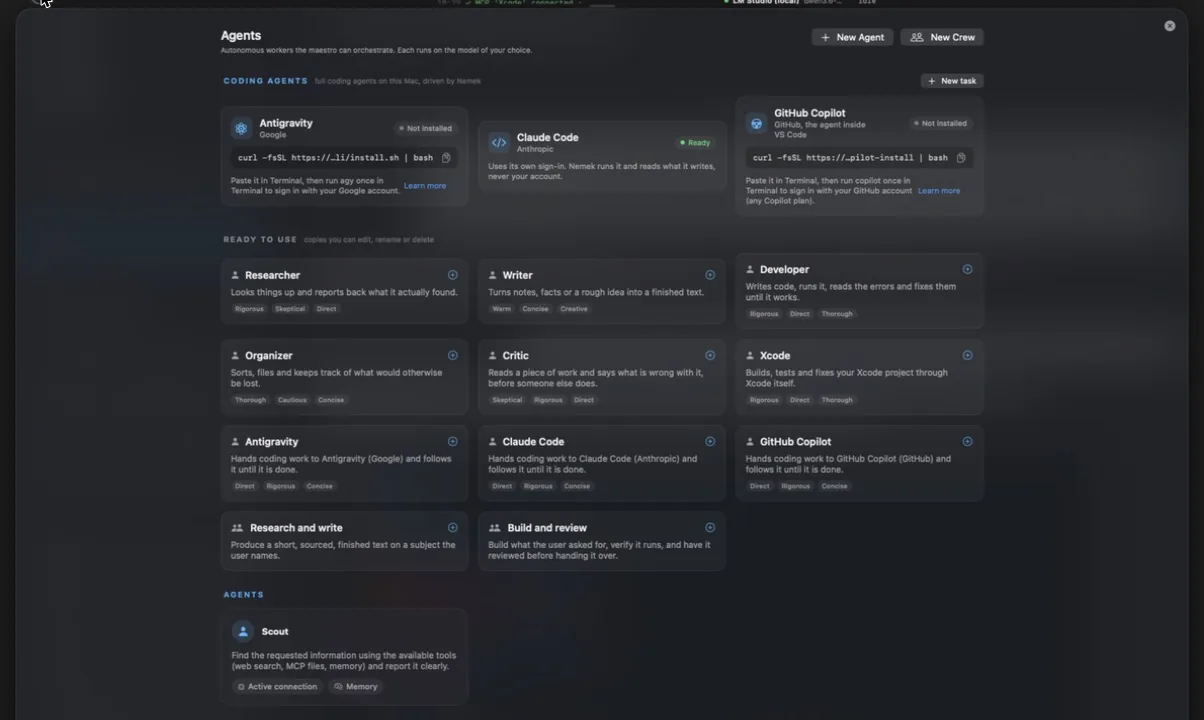
Nemeka Agents page: coding agents, ready-to-use agents and teams
The Agents page, taken from the running app.
Models

The model you want, with your key, or one on the Mac

Gemini, Groq, Mistral, Claude, ChatGPT, Grok, or any OpenAI-compatible API. With LM Studio or Ollama, the model runs on the Mac and needs no key.

Each task can have its own model: Conversation, Voice, Quick tasks, Agents and Screen. A role left empty follows the conversation. When a provider hits a blocking limit, Nemeka switches to the fallback you named until midnight, or for 15 minutes after three failures in a row, and says so in a banner and in the log.

  • 9 providers, 2 of them local
  • Keys kept in the macOS Keychain
  • Tokens and cost of the day per connection
Conversation

Go deeper without losing the thread

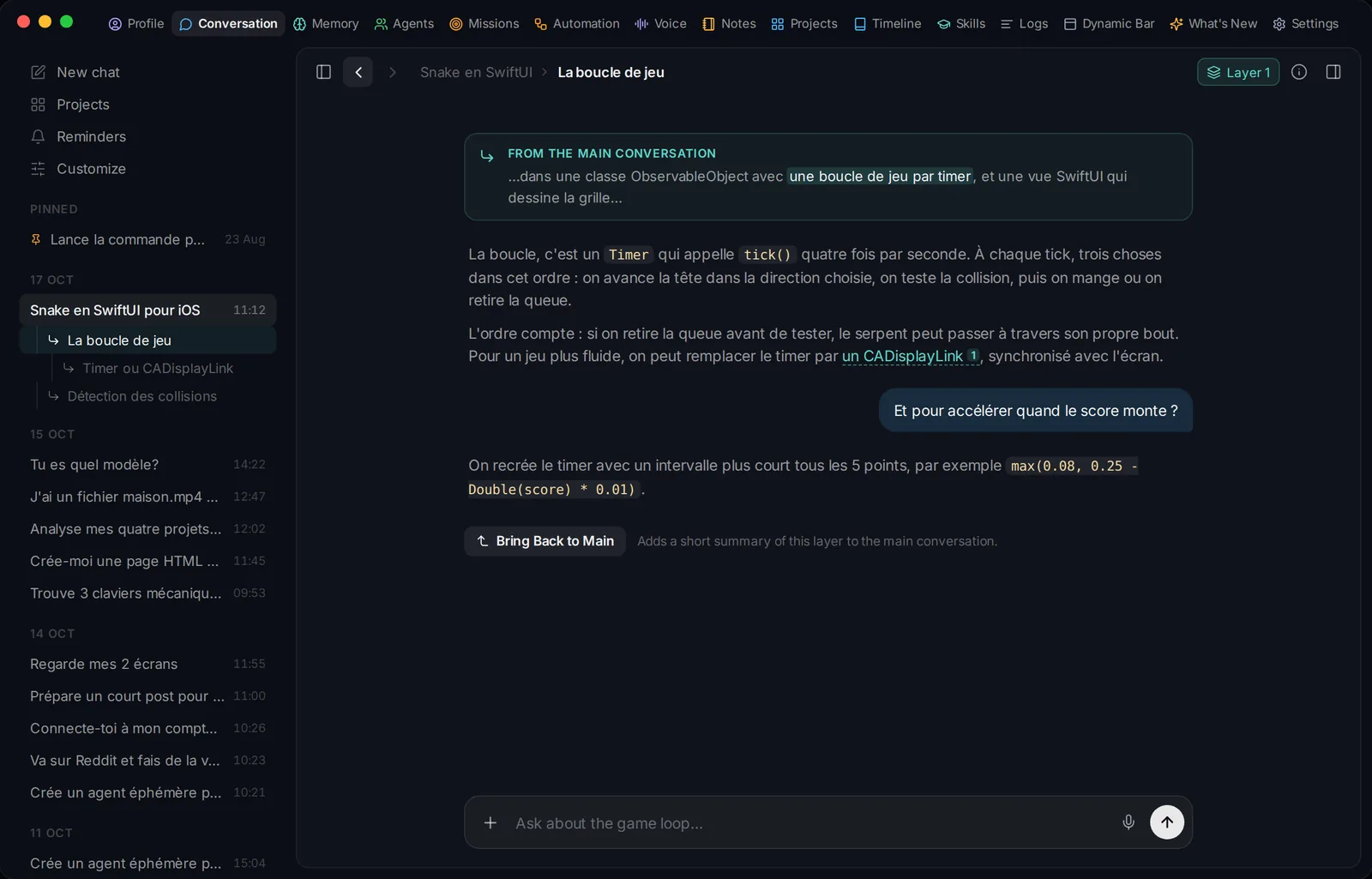
Replies are laid out in a calm reading column. In a long or technical answer, Nemeka marks one to three passages you can open as a layer: a side conversation about that point only. Select any text and choose Go Deeper on Selection to open one yourself, up to three levels deep. Bring Back to Main drops a two or three sentence summary of the layer into the main conversation, and a map shows every layer.

A conversation layer open on one passage of an answer
Missions

A goal, criteria, a plan, and a log of every step

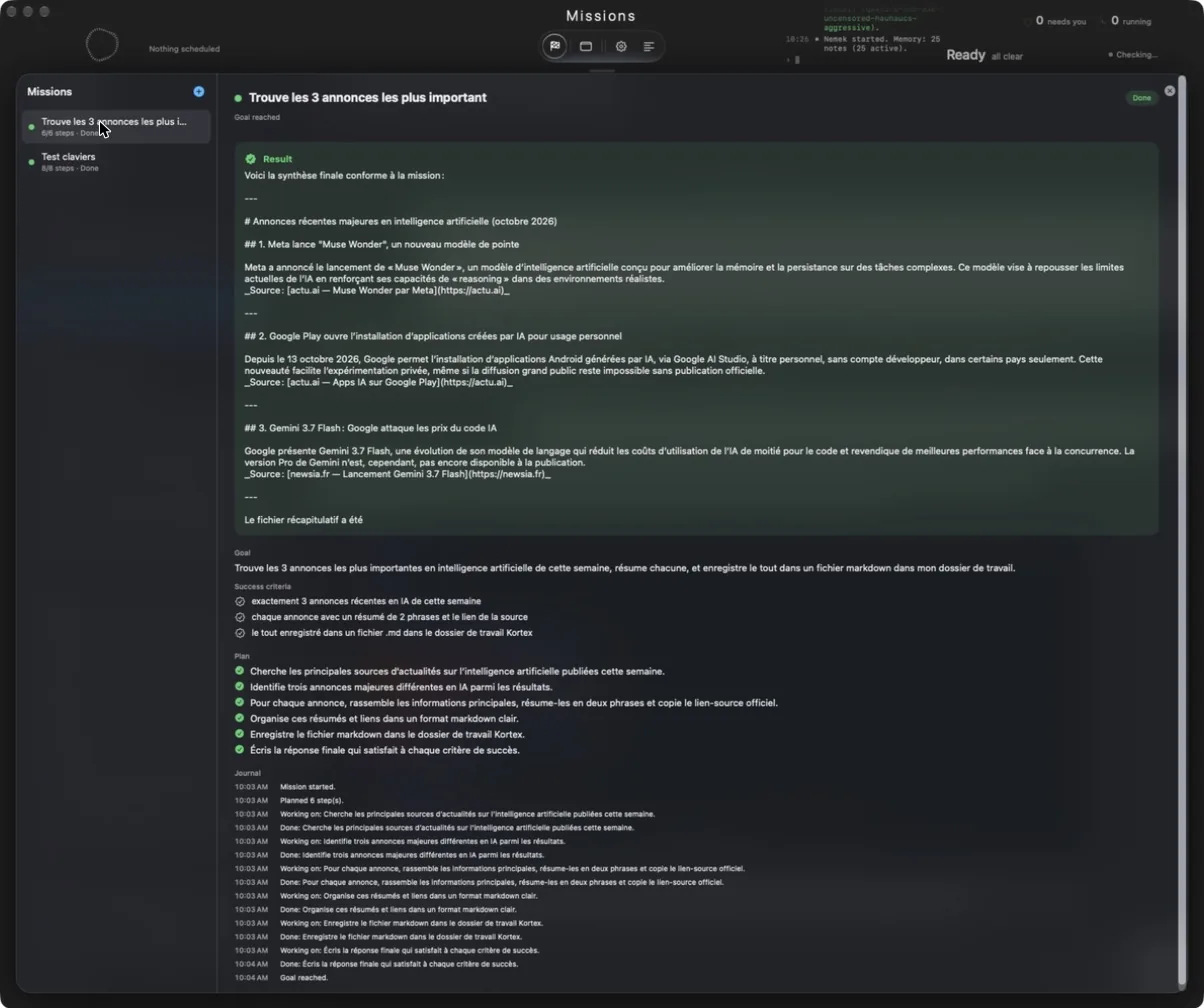
You describe what you want done and how to tell it is done, one criterion per line, then choose an agent. Nemeka plans, acts, checks the result against the criteria and plans again, until every criterion is met or it names why it stops. When it needs you, it asks a question with options or a free answer. Missions survive a restart, and a guard stops a mission that loops.

In the screenshot, a mission asked to find three AI announcements of the week, summarize each in two sentences with its source, and save the result as a Markdown file: six steps, done in about a minute.

  • Start, Pause and Stop at any time
  • Result kept with the mission
A finished mission: result, goal, success criteria, plan and log
A finished mission, taken from the app. The mission was written in French, so its content is in French.
Agents and teams

Hand over a whole task

Ready to use: Researcher, Writer, Developer, Organizer, Critic, and an Xcode agent that builds, tests and reads errors through Xcode’s own MCP server. Two teams are included: Research and write, and Build and review. Each agent has a goal, tools, a model and a temperament, and you can copy, edit or create your own.

Coding agents installed on the Mac are driven by Nemeka: Claude Code, Antigravity and GitHub Copilot, with three permission levels (plan only, edit files, full access, always confirmed) and Open in VS Code on each session. Each one keeps its own sign-in: Nemeka never reads their tokens, and quitting Nemeka stops what it launched.

  • MCP servers: Blender, Xcode and Sketch are added when the app is installed
  • Teams in sequence or under a lead
Acting on the Mac

It opens, reads, clicks and types

To reach another app, Nemeka takes the lightest path that works: the app’s MCP server, then its AppleScript dictionary, then the accessibility tree, and only then the screen. It drives the browser, reads and writes files, runs commands and handles your calendar, reminders and notes. A setting decides whether it acts directly or asks before a command or a risky action.

  • Calendar with ICS import and export, reminders, notes
  • Automations: workflows that run on their own, grouped in spaces, with a Stop button
Memory

A memory you can see and correct

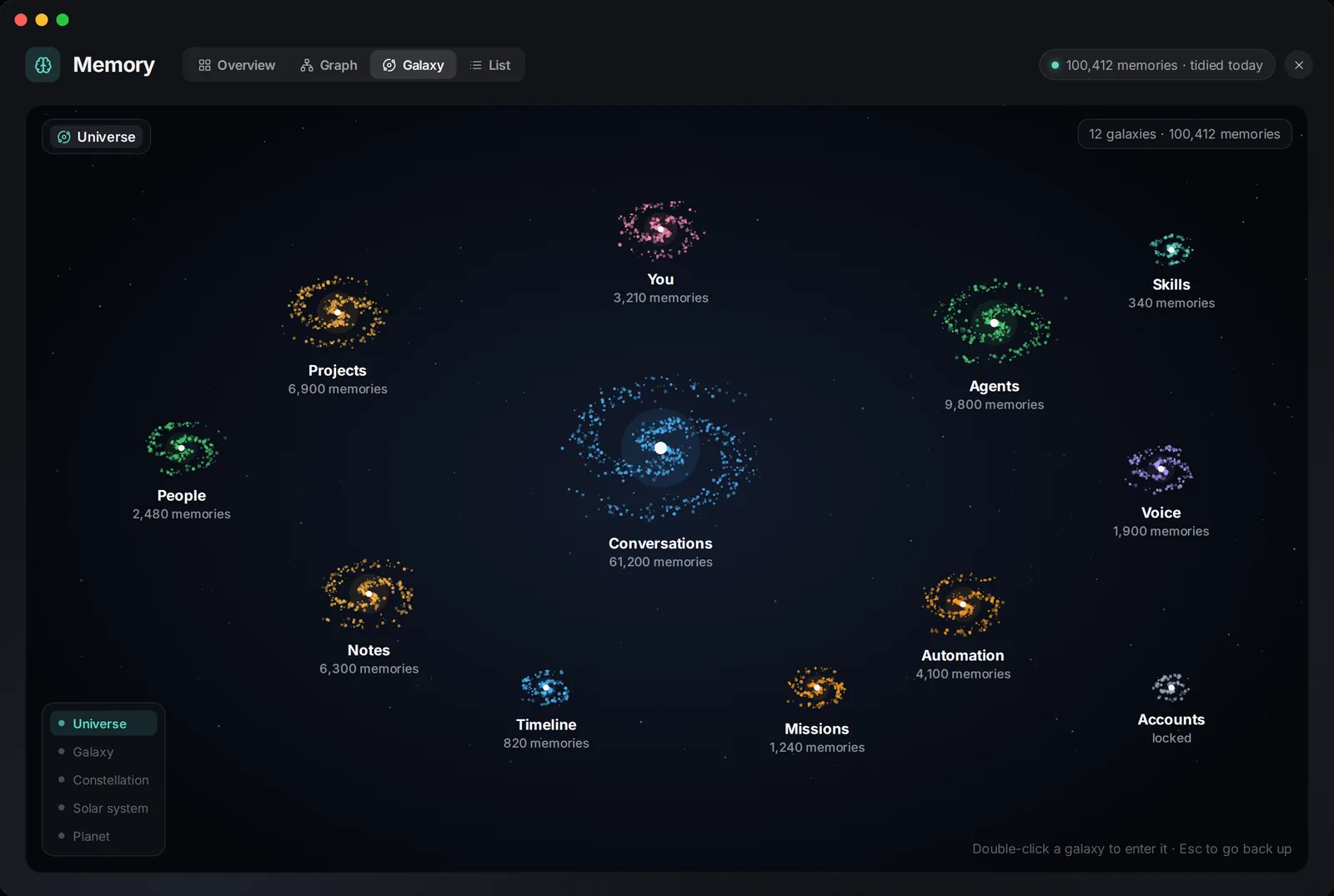
Everything Nemeka knows sits in one memory with 12 branches: You, People, Projects, Conversations, Agents, Missions, Automation, Voice, Notes, Timeline, Skills and Accounts. Accounts is closed to tools and opens with Touch ID.

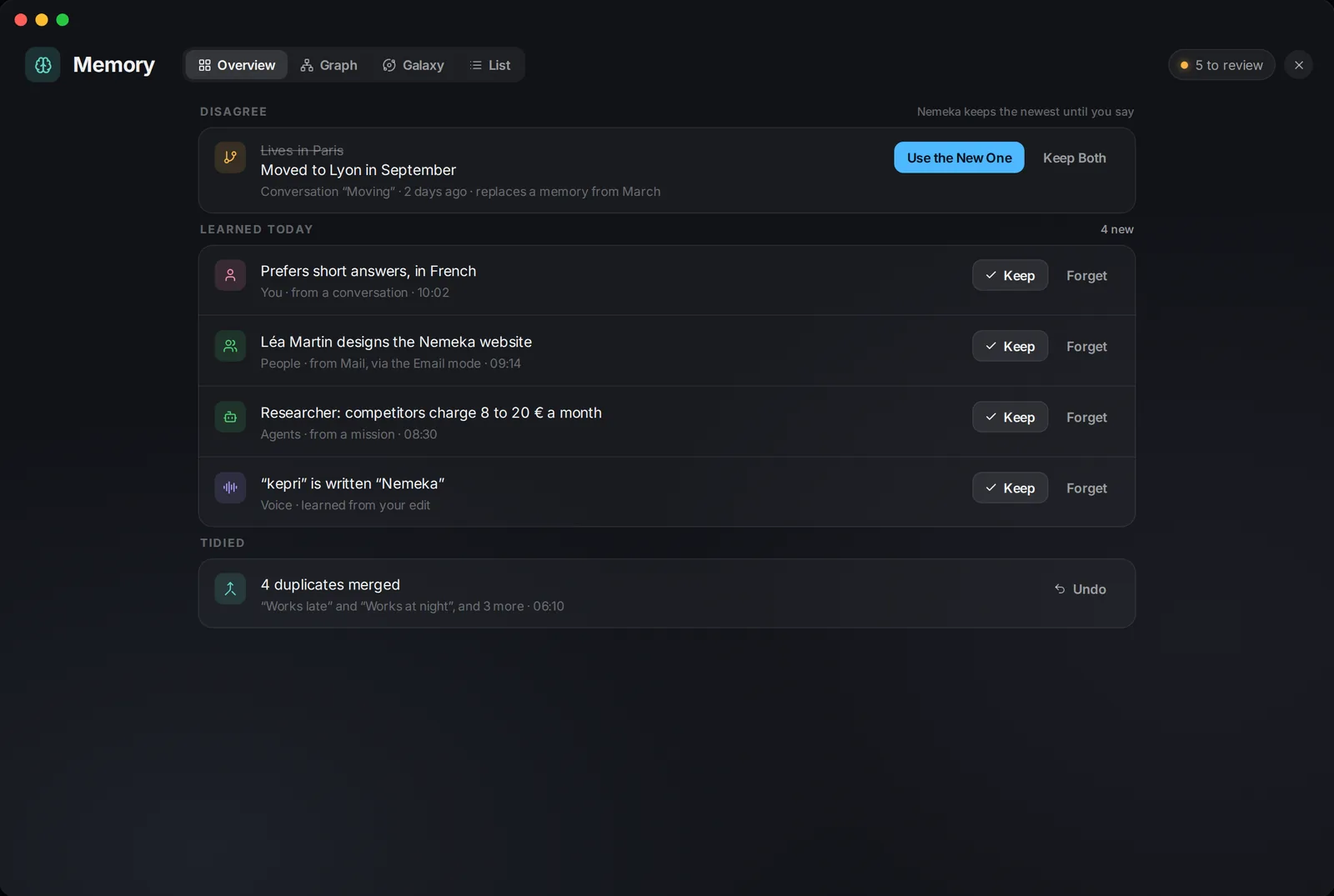
What Nemeka learns on its own waits in To review, where you keep or forget it. A fact that contradicts an older one is shown as a disagreement: use the new one or keep both. Nothing is erased: forgetting archives. Ask answers only from the memories it finds, shown under the answer, and calls no model when nothing matches.

The Galaxy view draws the memory on five levels, from the 12 branches down to single facts, never more than 20 bodies on screen at once. The Library keeps pages Nemeka learned online, such as Apple’s documentation, as Markdown files, each shelf with its own freshness, and agents read it before searching the web.

Memory galaxy: the 12 branches
To review: facts waiting for your decision
Voice

Dictate anywhere, in the mode you need

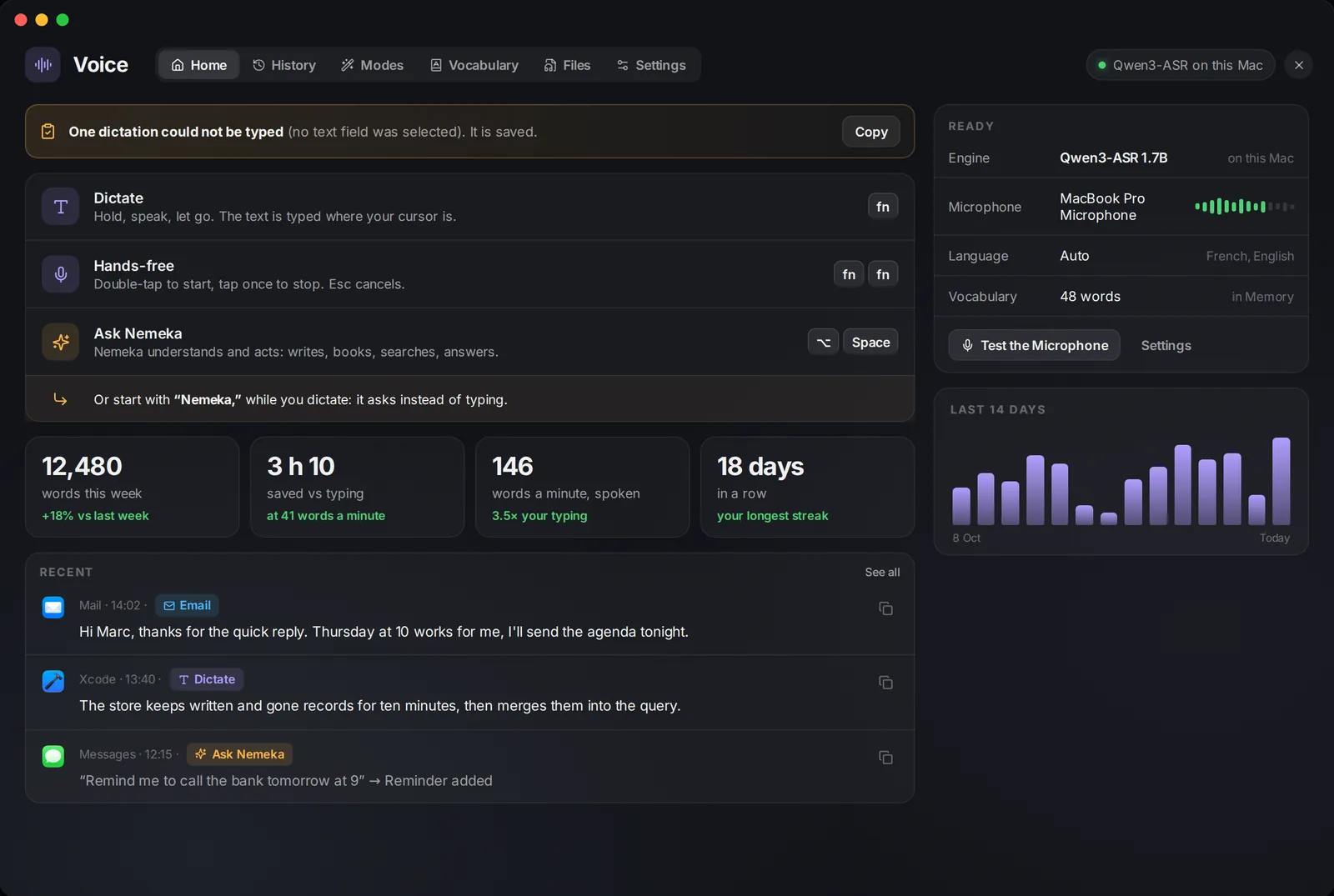
Dictation modes: Dictate, Clean up, Email, Translate, your own modes per key or per app and website, and Ask Nemeka, also started by saying “Nemeka,”. Spoken shortcuts in the Vocabulary insert the date, the time or the clipboard. Files turns an audio or video file into TXT, SRT or VTT.

Six speech engines: Apple and Qwen3-ASR run on the Mac without network, Groq Whisper, OpenAI Whisper and Qwen ASR in the cloud, or your own. Six voices to read answers aloud: Edge, Fish Audio, Inworld, OpenAI, ElevenLabs or your own. Voice mode (⌥⌘V) listens, stops on silence and answers aloud.

  • History kept 30 days by default, 5,000 dictations at most
Voice section, Home tab
Your Mac, your way

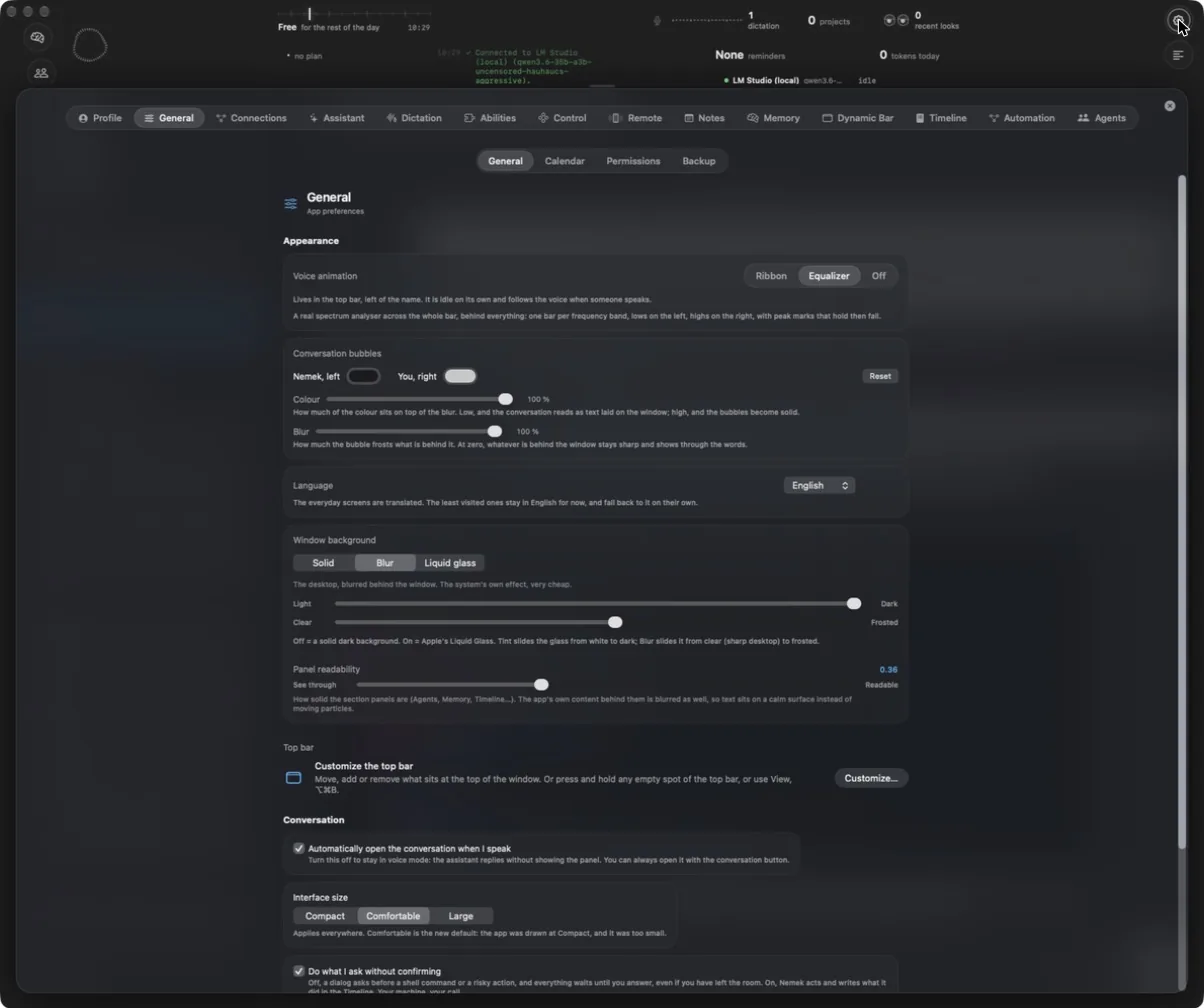
A window that adapts to how you work

The top band is a canvas of widgets you add, move, resize or remove on an 8-point magnetic grid, from the navigation icons to the activity orb, agents at work or tokens of the day. It has a compact row and an open state.

Notes are full-width pages with checklists, headings, colors and highlights, a “/” menu, Ask Nemeka on a selection (rewrite, translate, shorten, discuss, remind me) and Apple Notes import. The Profile shows your level, your week, an activity map and 24 milestones.

  • Send Report: the day’s log in one click, keys and passwords removed; memories, notes and conversations are never sent
  • What’s New: news, version notes and requests you can vote on
Nemeka settings, General tab
On iPhone

The remote, in progress

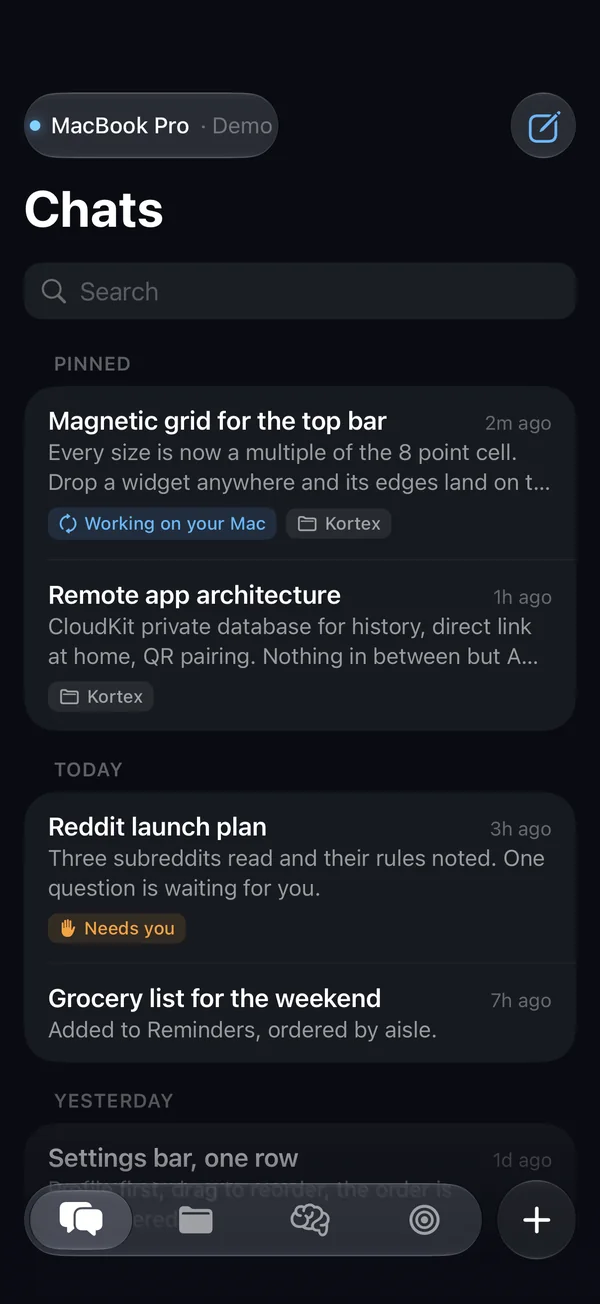
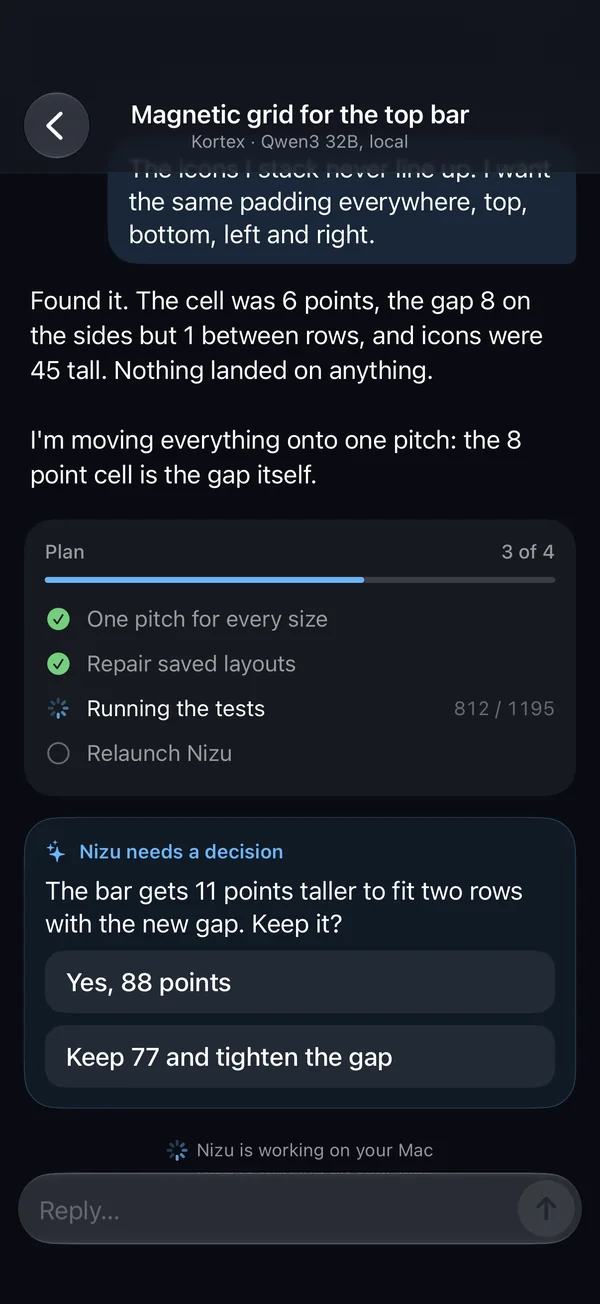
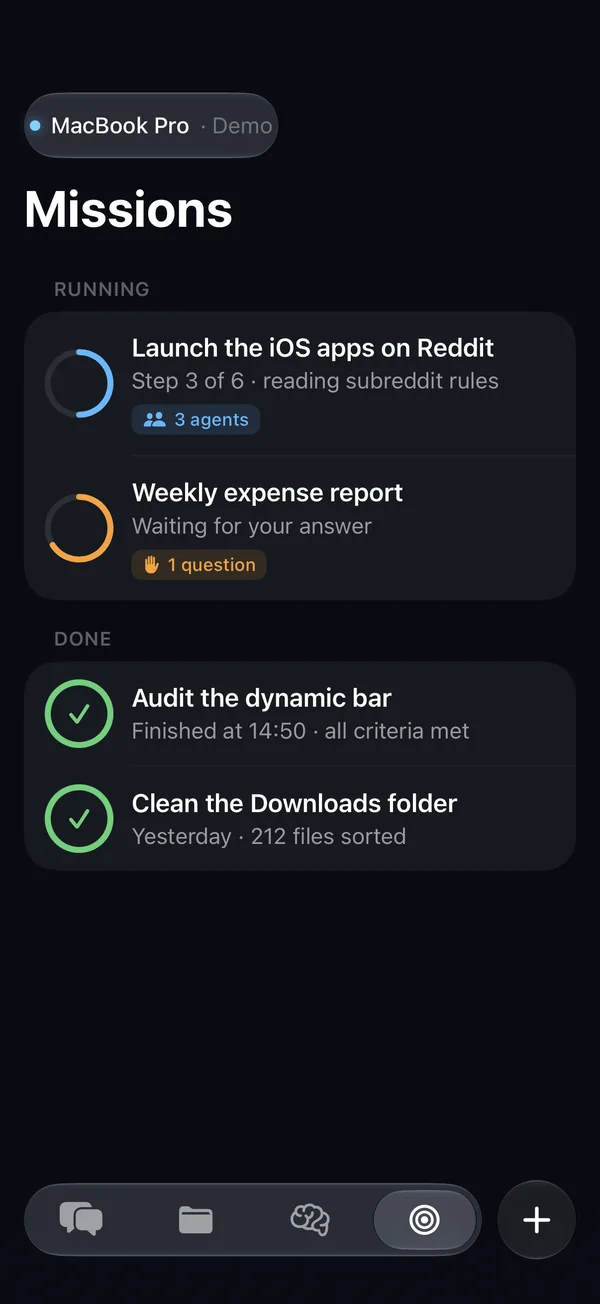
The iPhone app has its screens: conversations, projects, memory, missions, My Mac, and QR code pairing. The link with the Mac is not wired up yet; these screenshots come from demo mode. It is planned to connect directly on Wi-Fi, through your private iCloud otherwise, with no server in between.

Conversations
A conversation with its plan and a decision to make
Running and finished missions

Privacy

Memory, notes and the Library are Markdown files on your Mac. API keys and secrets are in the macOS Keychain.

With an online provider, the request goes to that provider with your key. With LM Studio or Ollama, the model runs on the Mac. Logs you send are encrypted for the developer and never contain memories, notes, conversations or keys.

Requirements

  • macOS 26 or later
  • An AI provider, or a local model through LM Studio or Ollama
  • Outside the Mac App Store: Nemeka launches processes and drives other apps, which the App Store sandbox does not allow

Availability

Private beta. A license key unlocks it; without one, a 14-day trial opens everything, and nothing is erased when it ends. Updates arrive inside the app.

Screenshots marked Mockup are design mockups; the others were taken from the running app. Nemeka was previously called Nemek, and before that Nizu.

Other apps