EMMGR.DEV
Grammatix
Grammatix icon

Grammatix

For Mac

Select text in any app on your Mac and hold the right click for a second. A card opens at the cursor with the correction, the grammar rule, a rephrasing and the translations. One click replaces the original text.

FreeIn development
System
macOS 26.5 or later
Actions per card
16
Rewriting tones
22
Model
The provider of your choice
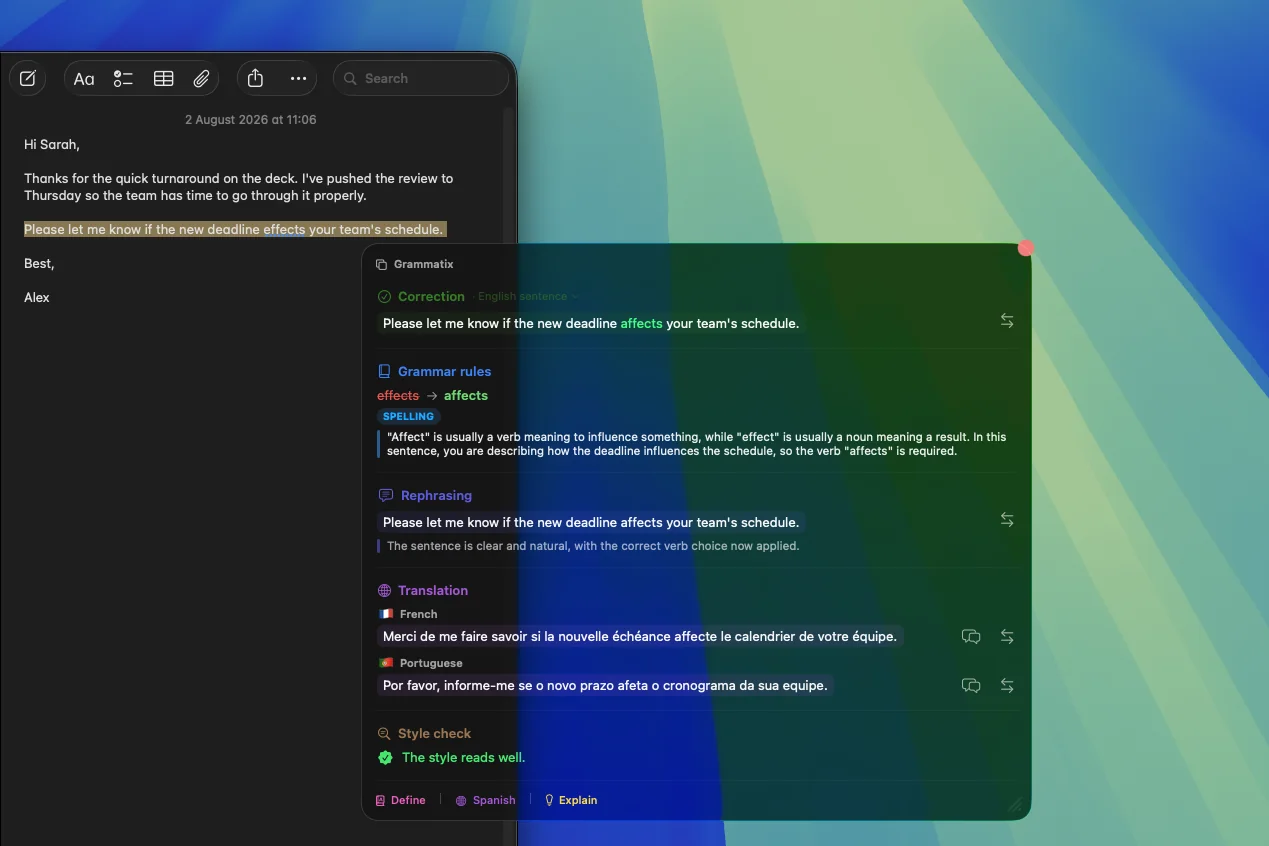
Grammatix in Mail: a selected sentence and its correction card
A sentence selected in Mail, with the card open next to it.
The card

Everything about a sentence, in one place

The card opens where you write: Mail, Notes, Slack or a browser. It reads the selection and replaces the text in one click, without copy and paste.

  • Correction of spelling and grammar
  • Grammar rule: the mistake, the fix and the rule behind it
  • Rephrasing, synonyms, antonyms, conjugation
  • Tone: 22 rewriting tones
  • Style check: repetition, wordiness, passive voice
  • Explain and a custom action with your own prompt
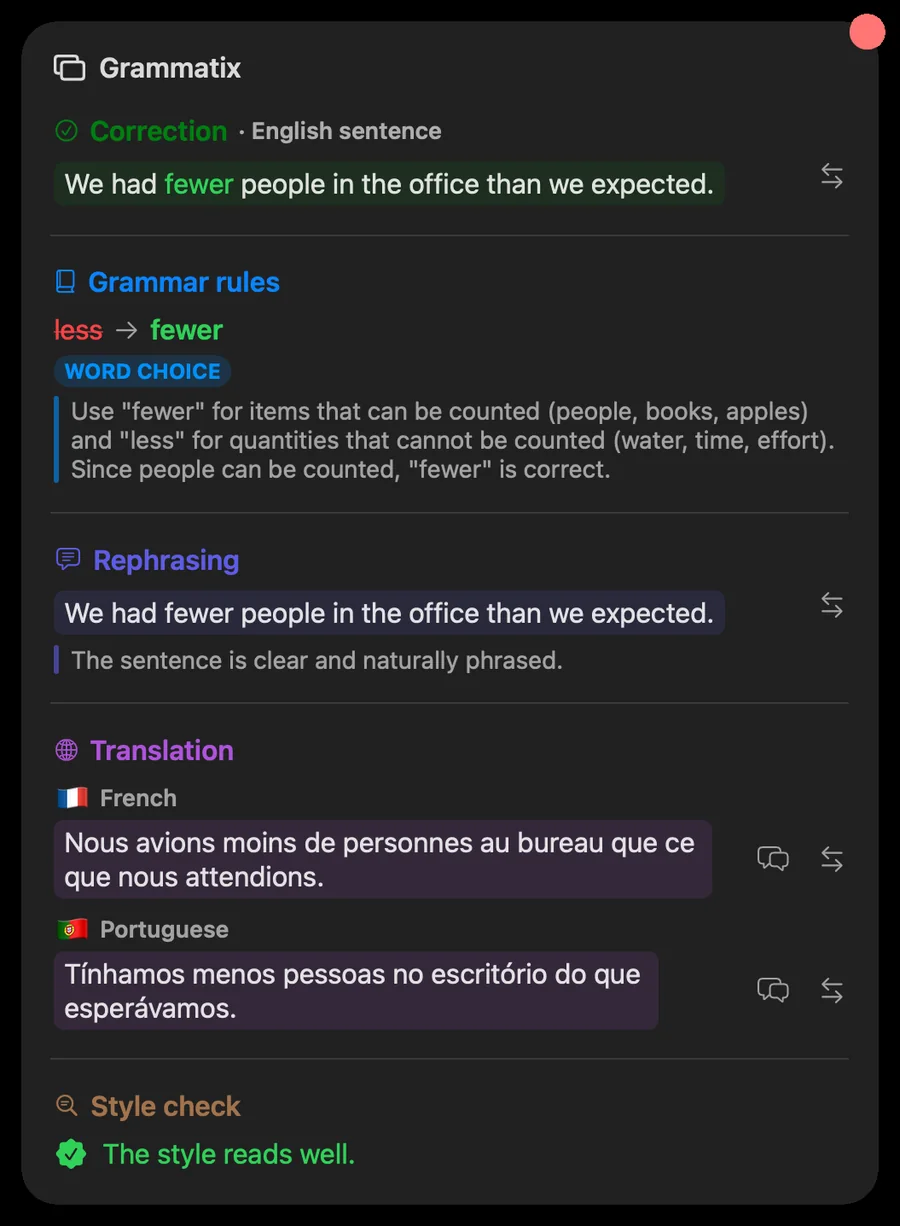
Correction card: less becomes fewer, with the rule and the translation
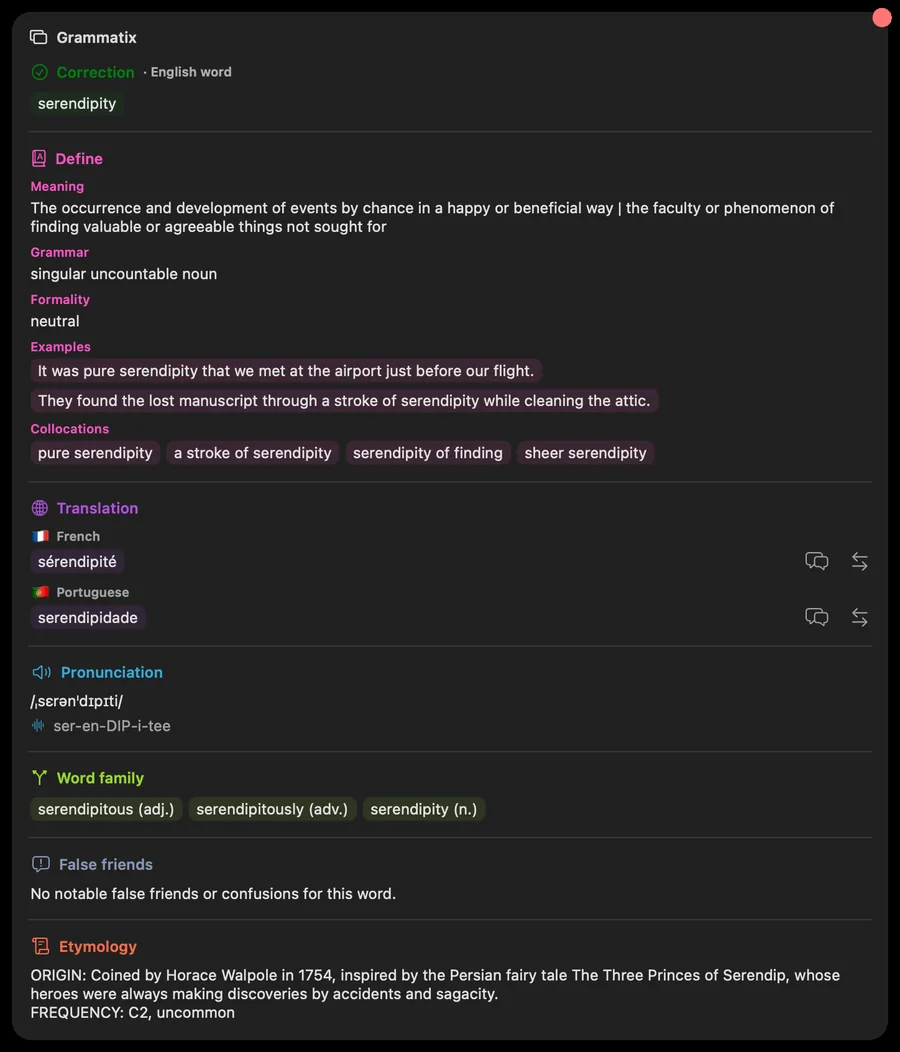
A single word

A dictionary when you select one word

On a single word, the card shows four more sections. Pronunciation uses the macOS voices, with no network.

  • Definition, with grammar, formality, examples and collocations you can turn on or off
  • Pronunciation you can listen to
  • Word family and false friends
  • Etymology
  • Conjugation, with the tenses you pick per action
Card for the word serendipity: definition, translations, pronunciation, etymology
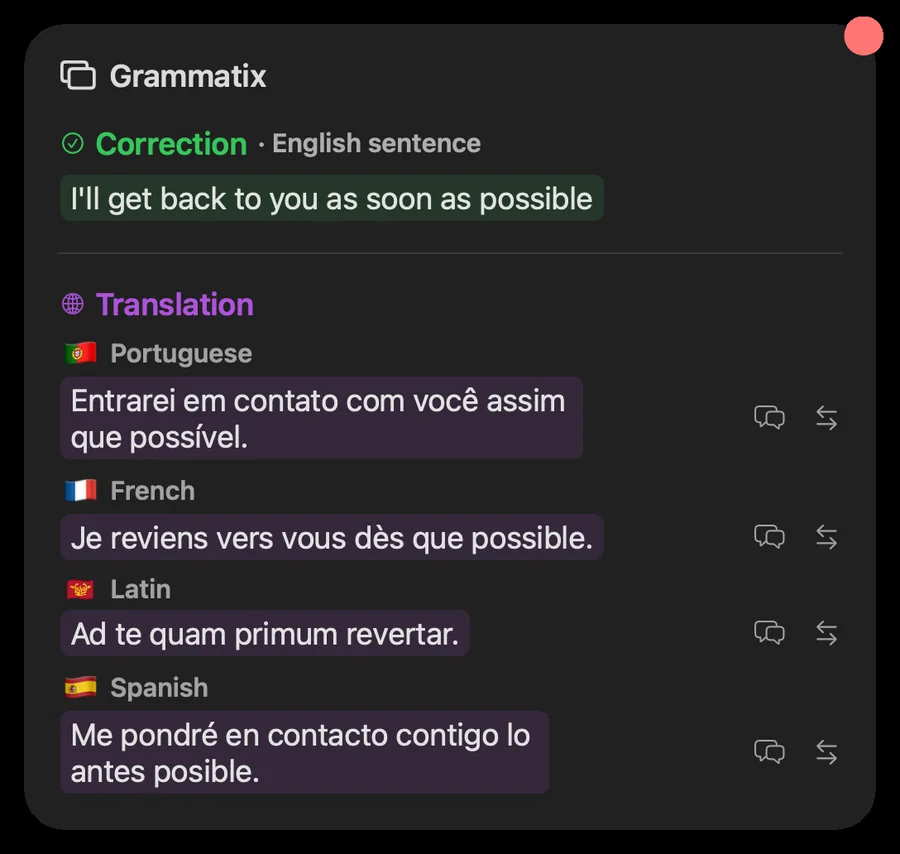
Translation

Up to six languages, in your order

Each card translates into up to six languages, in the order you choose, from a list of 14 that includes Latin.

Translation card in Portuguese, French, Latin and Spanish
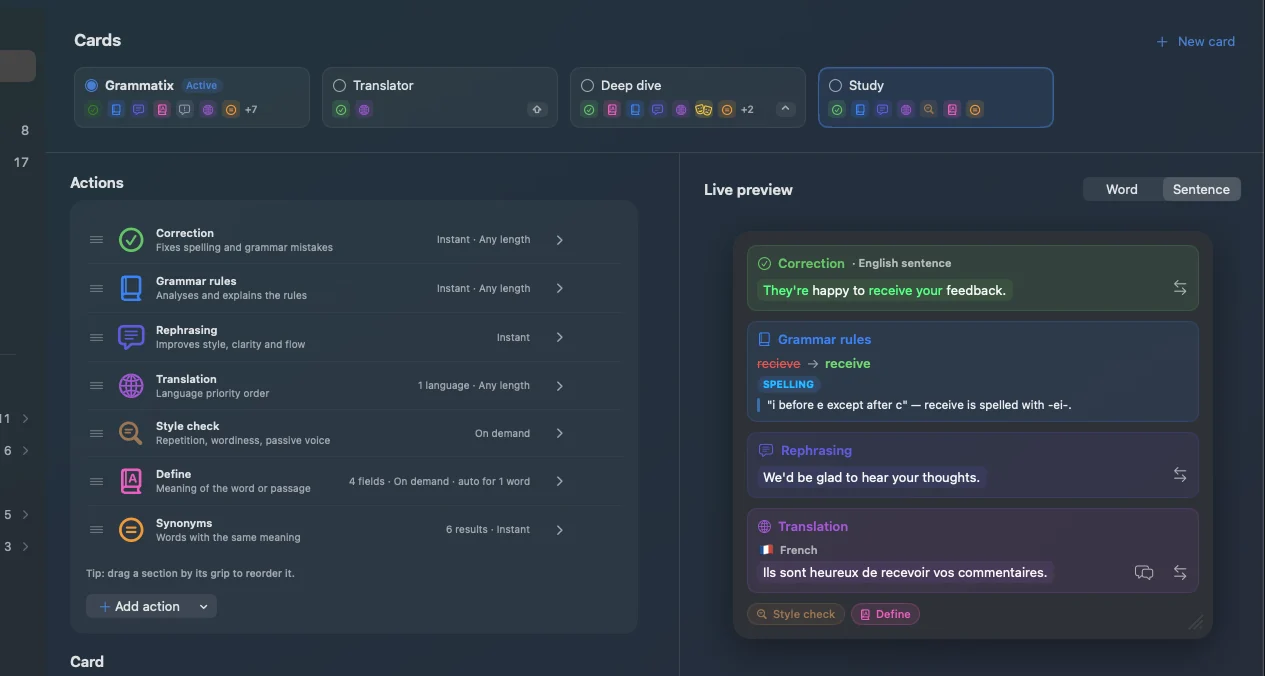
Your cards

Several cards, each set up your way

Create several named cards, for example one to correct quickly and one to study a language. A live preview shows the card while you set it up.

  • Reorderable actions, each with its own color
  • Instant or on demand, word limit, sentences only
  • Liquid Glass look, opacity, color and blur; close on an outside click or after Replace
  • Hold a modifier key with the right click to open a given card; a recorded shortcut also opens the card
Card editor: list of actions and live preview
Control Beta

A ring of buttons under the cursor

With a shortcut you record, a ring of 1 to 12 buttons opens under the pointer. Release on a button and the selected text is replaced with the result. Translation buttons in the ring can use any of 84 languages.

Every day

What carries over between sessions

  • Memory: your preferences, sorted by language, added to requests (3 per request by default, scope set per action)
  • History of the cards you opened
  • Profile: day streak, cards and mistakes per card over 30 days, and an accuracy trend
  • The macOS spell checker as a local safety net
  • Menu bar item to switch cards

Privacy

Grammatix does not ship an AI model. You connect your own key: Claude, OpenAI, Gemini, Groq, Cerebras, Mistral, Grok, or any OpenAI-compatible URL. The selected text goes straight to that provider.

Keys stay in the Mac Keychain. No account. If you send a bug report, it reaches the developer, with recent logs only if you leave that option on.

Requirements

  • macOS 26.5 or later
  • Accessibility permission, to read and replace the selection
  • A key from an AI provider; four of them have a free tier
  • Interface in English, French and Spanish

Availability

In development. Not available for download yet.

Other apps